How To Connect To Toro Cloud
1:Click the Remote Desktop Icon.
2:If your email is not listed, click ‘More Choices’
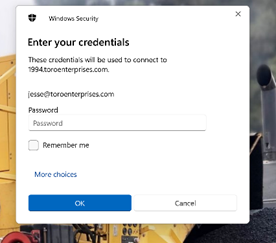
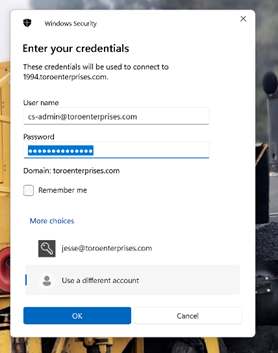
3:Then click ‘Use a Different Account’

4:Insert your email/password and click ‘OK’
Was this article helpful?
That’s Great!
Thank you for your feedback
Sorry! We couldn't be helpful
Thank you for your feedback
Feedback sent
We appreciate your effort and will try to fix the article