OneDrive
1:On Local PC open File Explorer and locate OneDrive Folder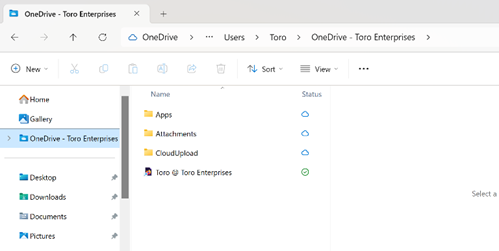
2:Do the same on the Cloud Server. You will notice that they are synchronized. You may now copy files between the Cloud and your Local PC. Example; Copy file from Local Scan Folder to OneDrive folder…toggle to Cloud and the file is there. Please note that larger files will take a minute to copy.
3:If your account gets unlinked or cannot view/access your OneDrive folder please do the following.
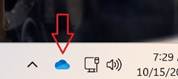
Right click the OneDrive icon near the clock and select Settings
 \
\
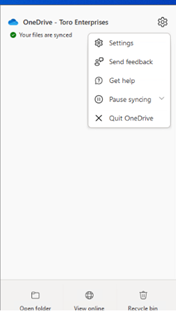
4: Click Add Account and enter your information
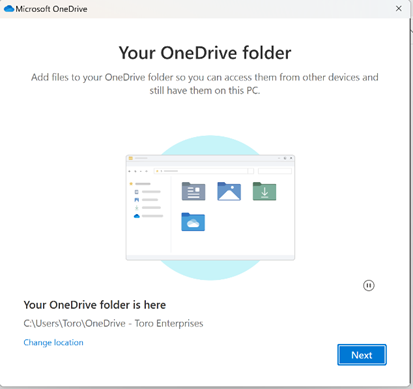
5: When you get this screen, select No, Sign into this App Only
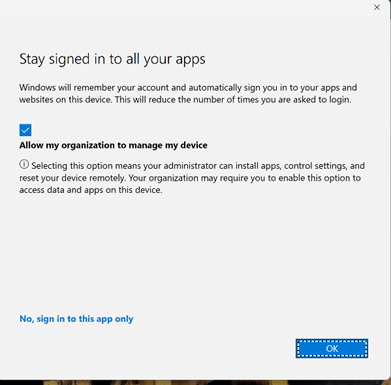
6:Click through the screens to finish setup
7:Any issues or questions?? Call Clint! 805-824-9228
Was this article helpful?
That’s Great!
Thank you for your feedback
Sorry! We couldn't be helpful
Thank you for your feedback
Feedback sent
We appreciate your effort and will try to fix the article