Using Teams
Conference Room Edition
Open The Teams program
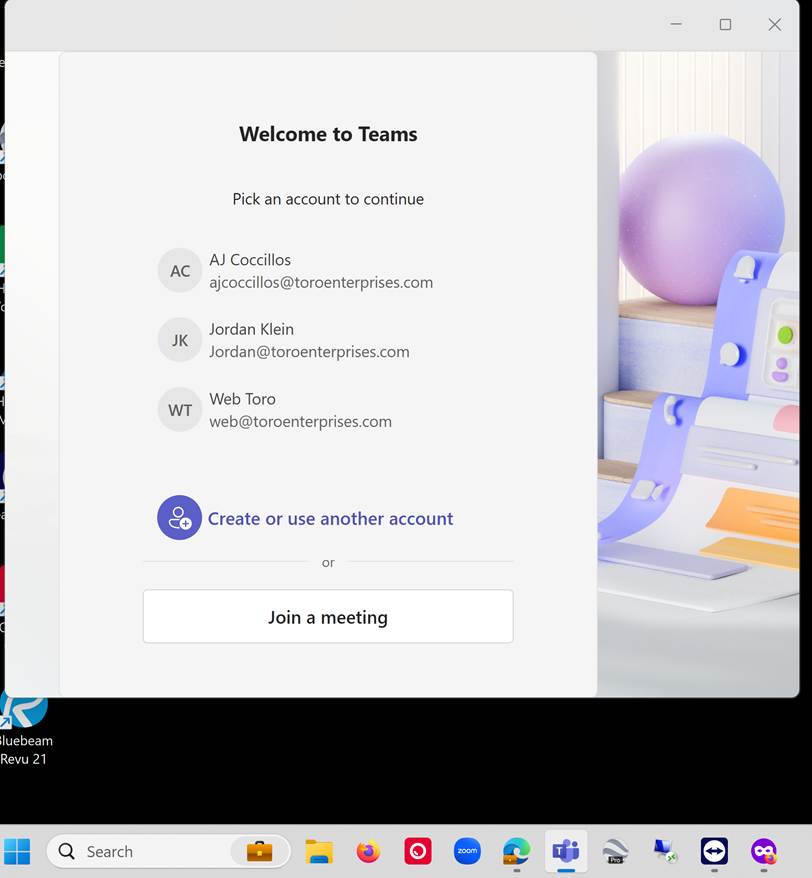
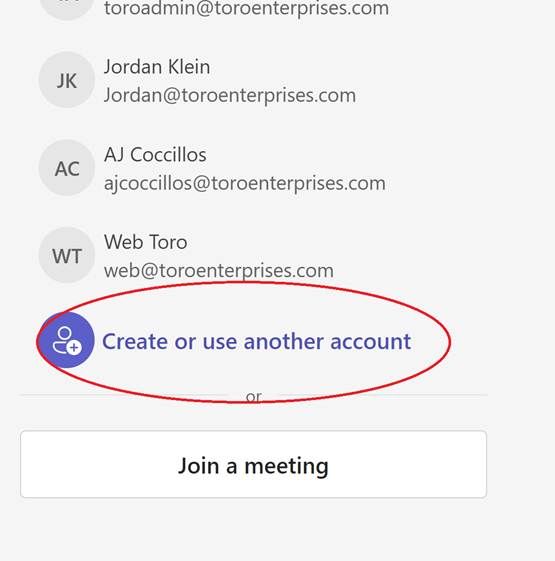
Click the Teams Icon on the Start Bar. If your email is not listed, select Create or use another account.
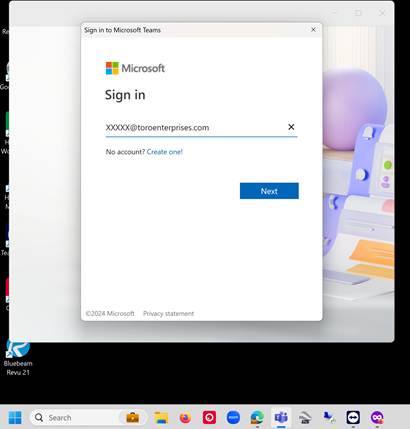
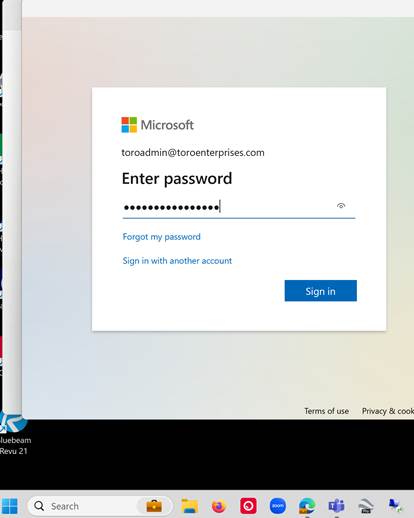
Enter Your Email Address and Password
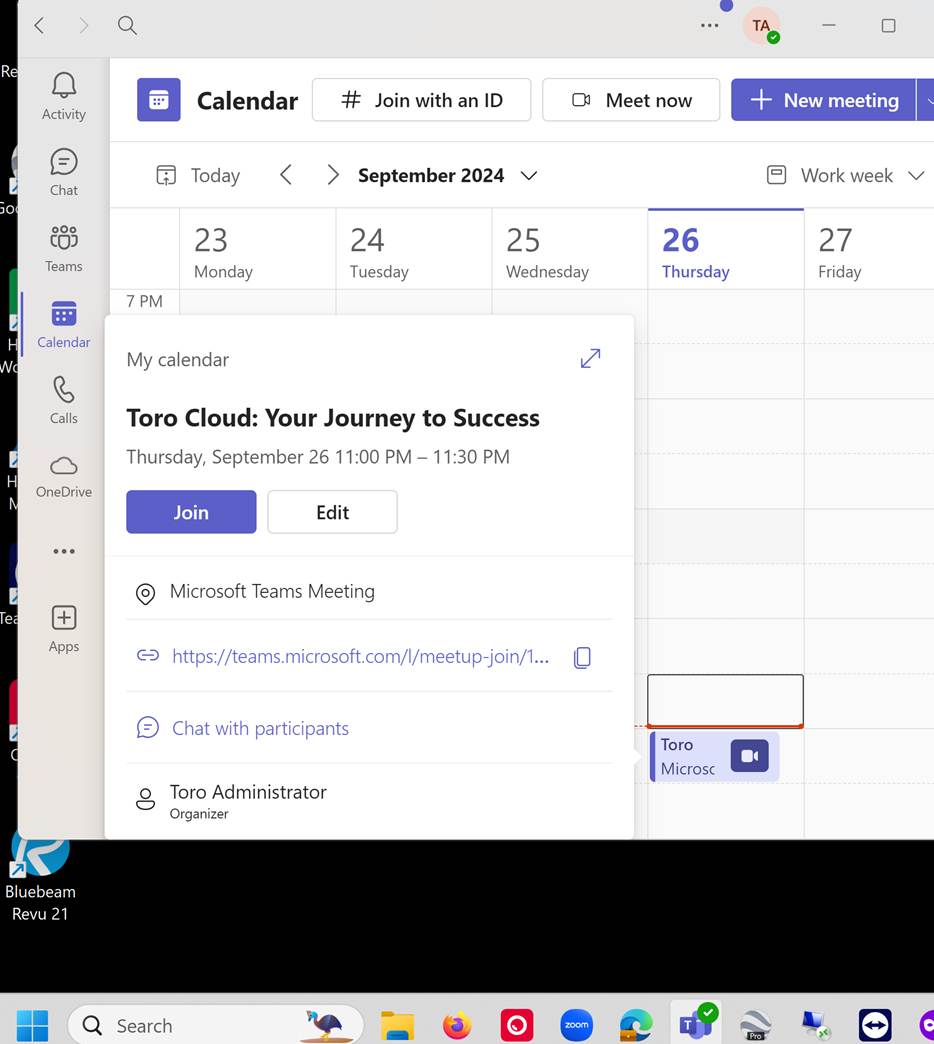
Click on Calendar
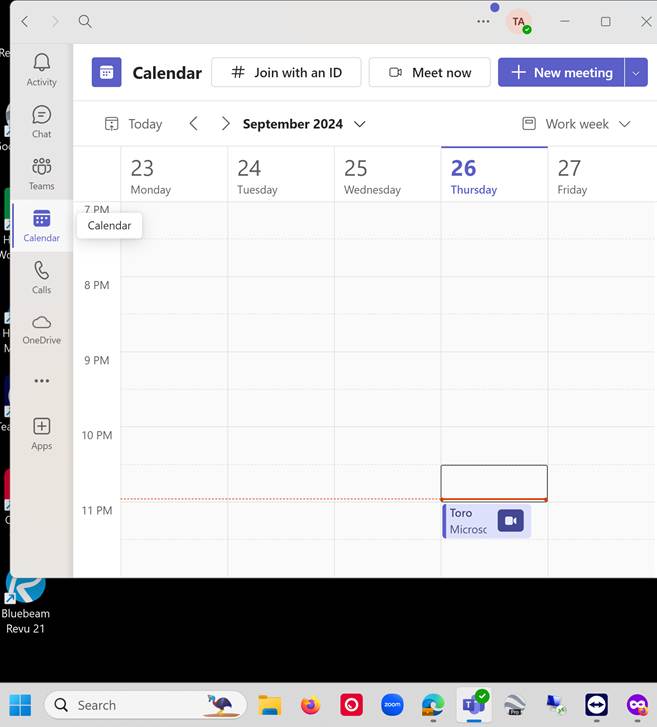
Click on Your Item and Join
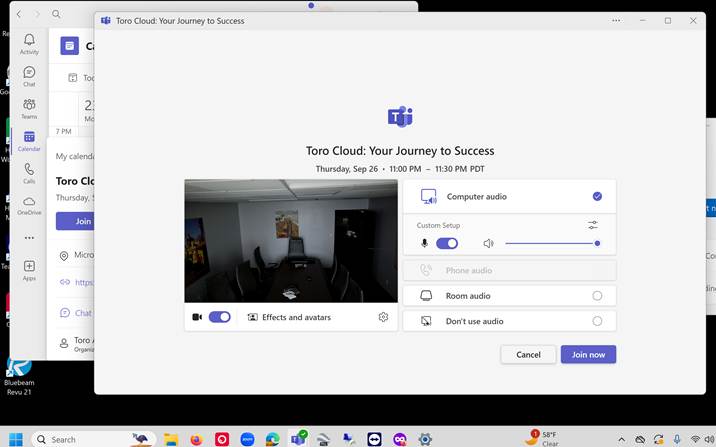
You Are Now In The Meeting
Important Note!
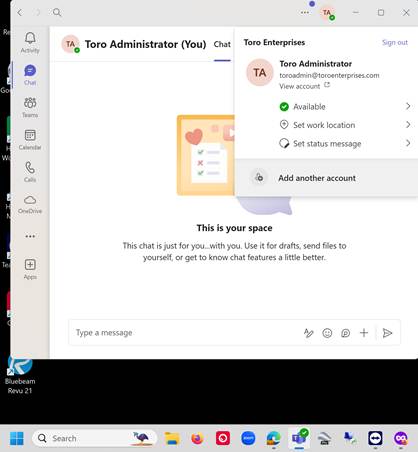
Someone maybe logged in already. If so, Click the User Icon and then Sign Out.
If you have issues signing in, click Retry

Then click Create or use another account and then sing in
Was this article helpful?
That’s Great!
Thank you for your feedback
Sorry! We couldn't be helpful
Thank you for your feedback
Feedback sent
We appreciate your effort and will try to fix the article